
How to Copy an App Icon on the Mac
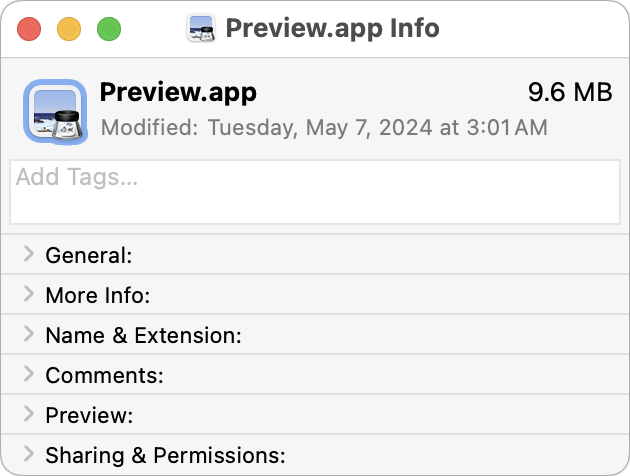
Let’s say you’re writing documentation to help colleagues use Preview to edit images, sign PDFs, and convert graphics. (A worthy task for which they will thank you!) For this documentation, you want to include the Preview app’s icon so they know what to look for in the Applications folder and Dock. To copy a high-resolution […]
Prep Your Tech for Travel

Long ago, to get ready for a trip, we’d mostly make sure we had our plane tickets, books and magazines to read, and a snack. Prepping for travel in today’s tech-heavy world comes with a new set of tasks, most of which shouldn’t be left to the last minute. Identify Devices, Chargers, and Cables to […]
Apple Explains Its Approach to Device Longevity

We Apple users tend to believe that our devices usually last longer—both physically and functionally—than Windows PCs and Android smartphones. For instance, Apple’s current operating systems work on nearly all Macs, iPhones, and iPads introduced in 2018 and later, albeit with some feature loss on the oldest devices. In a white paper entitled “Longevity, by […]
Choosing the Best Mac for a College-Bound Student in 2024

Is your child heading off to college soon? They’ve undoubtedly been using a computer throughout high school, though now is a good time to look at getting them a new one, especially if theirs is old or unreliable, is shared with other family members, or was a school loaner. If you haven’t been keeping up […]
At WWDC, Apple Unveils Apple Intelligence and Previews New OS Features

Apple’s Worldwide Developer Conference keynote was a lightning-fast (even in the full 1:44-long video—or try the 3-minute recap) look at what Apple is bringing to the software side of the Apple experience in the next year. Although some past keynotes have introduced hardware like new Macs and the Vision Pro, this year’s keynote stuck to […]
Send Photos in Messages Faster with This Hidden Shortcut

On the iPhone and iPad, to send a photo to a Messages chat, tap the ⊕ button and then tap Photos in the list that appears to reveal the photo picker. That’s not difficult, but it requires an extra step you can avoid with this tip. If you’re running iOS 17 or iPadOS 17, instead […]
Changing Passwords Periodically Doesn’t Increase Security

Does your organization or some financial website require you to create a new password periodically? This practice was recommended long ago, but some organizations haven’t kept up with current recommendations that discourage such policies. If you’re bound by a password expiration policy, you can use this article to encourage your IT department or financial institution […]
Use the Command Key to Rearrange and Remove Menu Bar Icons

Is your Mac’s menu bar overwhelmed with icons? They’re helpful little critters, but finding one can be difficult when you have too many and they’re in no particular order. The hidden trick to cleaning up your menu bar relies on the Command key. Rearrange the menu bar icons in an order that makes sense to […]
For the Best Mac Webcam, Use Your iPhone

The near-ubiquity of videoconferencing is a lasting effect of the pandemic. The ease of gathering a group virtually usually more than makes up for the downsides. Despite that, many people still appear in video calls with low-resolution, poorly lit video that makes the call less effective. A better webcam is an easy way to improve […]
Did You Know Text Entry Boxes in Web Browsers Are Easy to Expand?

Have you ever noticed the shading in the corner of text area fields in Safari, Chrome, Firefox, and most other Mac Web browsers? These “handles” let you resize the field—always vertically and sometimes horizontally. That’s handy when the website designer has provided only a small text box and you want to enter more text than […]
