
Stay Alert! Voice Phishing Used in Recent Ransomware Attacks

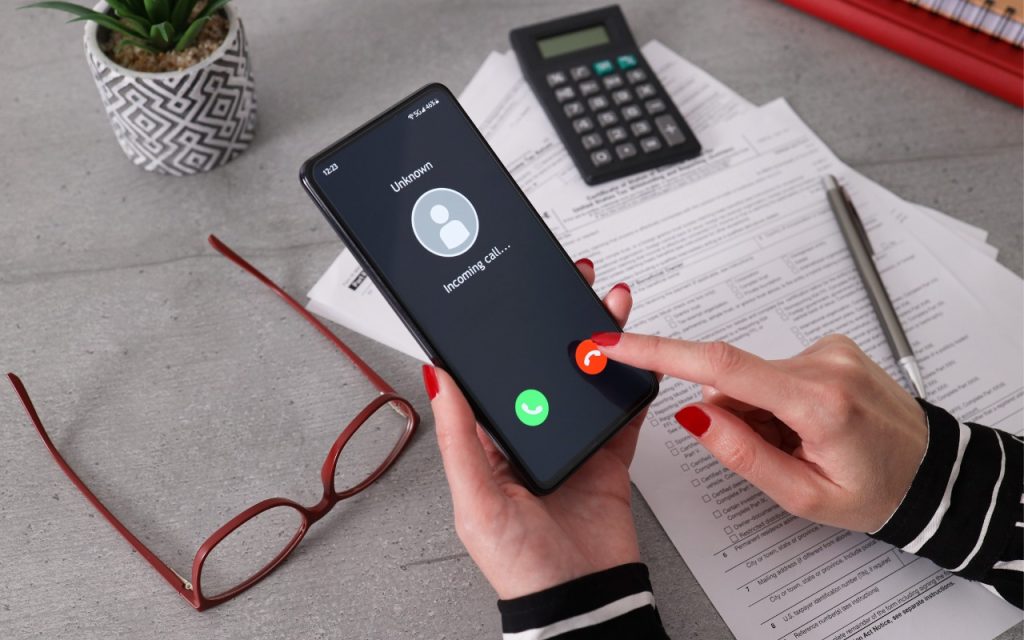
All it took for MGM Resorts International to be compromised with ransomware was a quick phone call, which some now call “voice phishing” or “vishing.” An attacker using LinkedIn information to pose as an employee asked MGM’s help desk for a password change, after which they were able to install ransomware. MGM is now up to $52 million in lost revenues and counting. Two takeaways. First, if you call support for a manual password reset, expect to be asked for a lot of verification, such as a video call where you show your driver’s license. Second, if you receive a call at work from an unknown person asking you to do anything involving money or account credentials, hang up, verify their identity and authorization, and proceed accordingly only if they check out.
(Images by iStock.com/1550539 and HT Ganzo)


Social Media: Phishing isn’t limited to email and texts anymore—“voice phishing” or “vishing” was used recently in a major ransomware attack on MGM Resorts. The rise in such attacks means that requests over the phone will need much more verification.

More Insights

Tech Article

Not All Your Mac’s USB-C Ports Are the Same

We recently helped a client set up an external boot drive on a Mac mini for testing, but the installation kept failing near the end with vague errors. We tried different cables, swapped drives, and more, to no avail. On a hunch, we moved the SSD to a different USB-C port, and the installation completed […]

Read More »
Tech Tip

macOS 26.4 Warns Against Terminal-Based Malware Attacks

We’ve warned before about scams that trick users into pasting malicious commands into Terminal. Attackers create fake CAPTCHA pages—often resembling Cloudflare’s “are you a human” tests—that instruct visitors to open Terminal, paste a command, and press Return. Because the user executes the command themselves, macOS’s security protections are bypassed. Malwarebytes recently documented a macOS infostealer […]

Read More »
Tech Tip

Check Your Input Source If Your Mac Types Unexpected Characters

If your Mac starts typing unexpected characters—or rejects a password you know is correct—check to see if the Input Source menu appears in the upper-right corner of the screen, indicating that your Mac has more than one keyboard layout available for writing in other languages. Accidentally switching from the standard U.S. keyboard (or whatever you […]

Read More »
Tech Article

Understanding New MacBook Battery Charging Features

The just-released macOS 26.4 Tahoe introduced two battery-related features for MacBook users, helping them understand and control MacBook charging. A Slow Charger indicator now appears in the battery status menu and in Battery settings when your Mac is connected to a charger that isn’t delivering the minimum recommended wattage. More significantly, a new Charge Limit […]

Read More »
Tech Article

View Suspicious Documents Safely with Dangerzone

A standard piece of advice for staying safe online is to avoid opening attachments from people you don’t know or attachments that seem suspicious. It’s good advice, since PDFs and office documents can contain JavaScript and macros that present a security risk, or they could be maliciously crafted to take advantage of vulnerabilities in common […]

Read More »
Tech Tip

Create AI-Powered Playlists with iOS 26.4’s Playlist Playground

Apple Music subscribers running iOS 26.4 can use the new Playlist Playground feature to create AI-generated playlists tailored to any mood, genre, activity, or era. To try it on your iPhone, open the Music app, tap the Library tab, tap the + button, then tap Create New Playlist. Instead of manually adding songs, tap the […]

Read More »

If you are here and not sure how to proceed, please call us at 626-286-2350, and we would be happy to help you find a solution to your needs.