Keep Your Apple Devices Cool in the Summer Heat

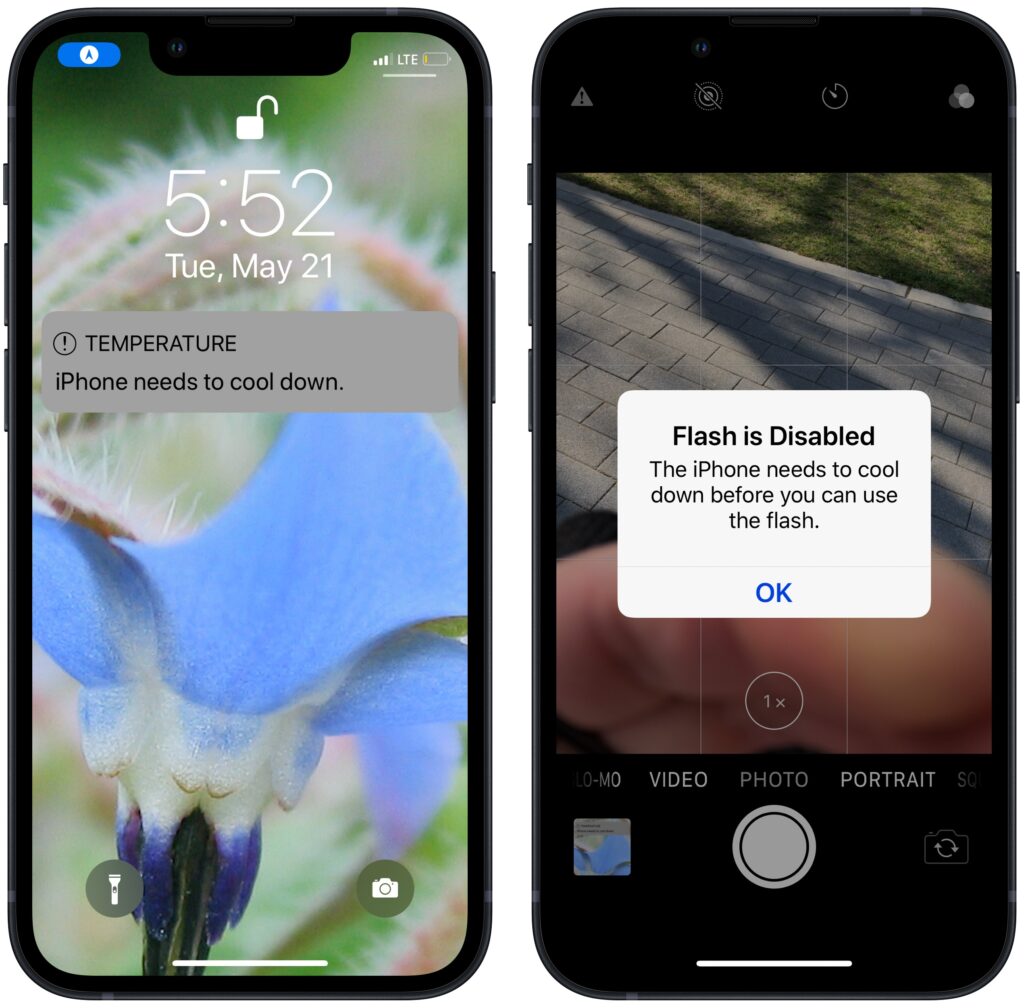
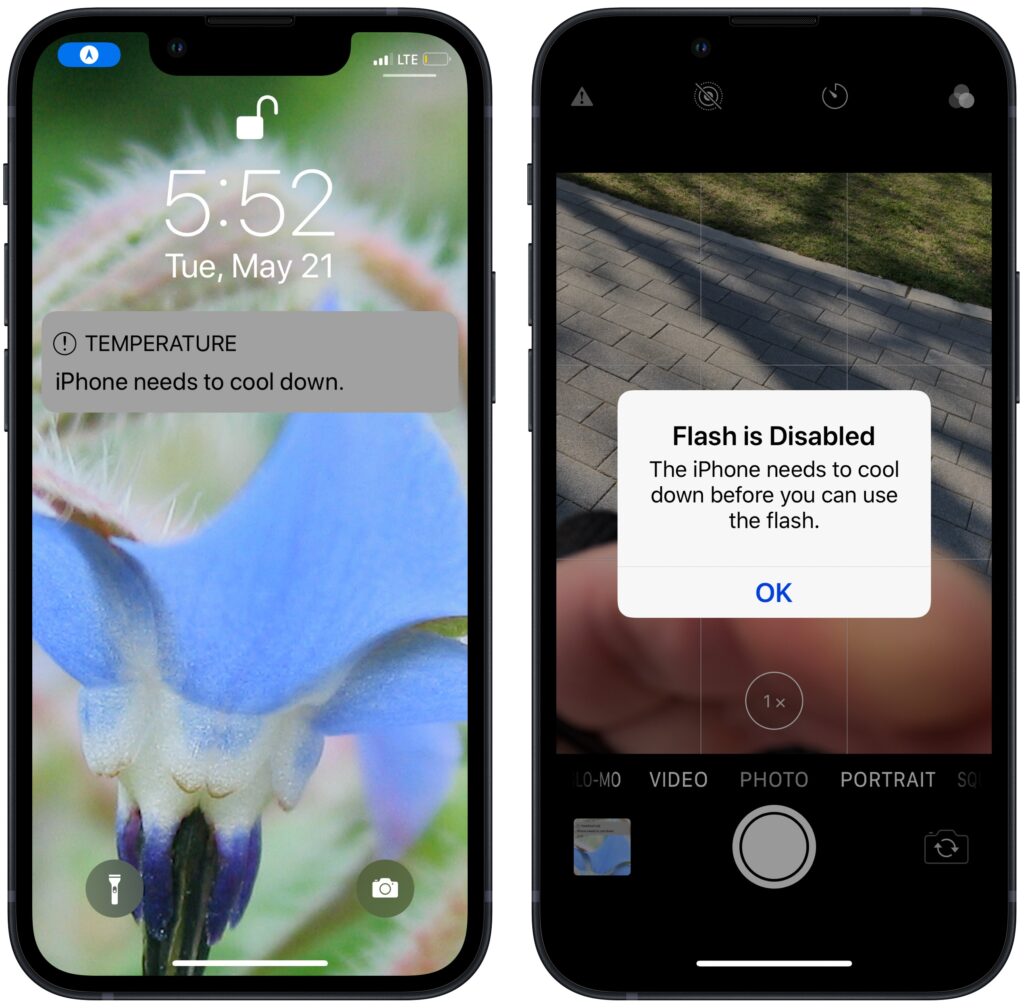
June 2023 was the hottest month on record for the planet, at least until July 2023. Among the many ill effects of such heat are what it does to iPhones, iPads, Macs, Apple Watches, and other digital devices. Excessive heat shortens the overall lifespan of lithium-ion batteries and increases the likelihood of both transient errors and hardware failures—iPhones warn you when they’re getting too hot because of these issues. Apple recommends using nearly all its devices in conditions no hotter than 95ºF/35ºC and storing them in locations that don’t exceed 113ºF/45ºC. (The exception is the adventurous Apple Watch Ultra, which can be worn in temperatures up to 130ºF/55ºC.) The most common place to avoid is a car parked in the sunshine on a hot day, which can easily exceed 130ºF within an hour and rise from there. So don’t leave your iPhone in the car during an afternoon at the beach!
(Featured image by iStock.com/Jorge Garcia Argazkiak)


Social Media: As many parts of the world struggle with record heat waves, remember that excessive heat—operating temperatures over 95ºF/35ºC—is harmful to portable electronic devices like the iPhone, iPad, and Apple Watch. Keep your digital friends cool!


More Insights

Tech Article

Stay Safe in 2026 with These New Year’s Resolutions

We’re approaching the end of 2025, so we encourage you to consider your New Year’s resolutions. For many people, the new year offers an opportunity to reflect on habits we’d like to adopt or solidify. Although we support reducing social media use and making other positive lifestyle changes, we’d like to suggest a few additional […]

Read More »
Tech Tip

Create Reminders to Return Calls Directly in the Phone App

Apple introduced a neat new feature in the Phone app in iOS 26 and iPadOS 26 (but not macOS 26): callback reminders. Whenever you miss a call and think, “I’d better call this person back later,” you can now create a reminder to do that right within the Phone app. Swipe left on any call, […]

Read More »
Tech Tip

Clean Up Your Mac’s Login Items for Better Performance

If you use certain apps or documents regularly, you can ensure they’re ready to go after a restart by manually adding them to your Login Items list. Some login items are also added automatically by apps that want to be available at all times. Either way, when the Mac boots, it automatically opens all login […]

Read More »
Tech Article

Spotlight Gets Brighter in macOS 26 Tahoe

Spotlight has been a staple on macOS for decades, and at various points in its history, Apple has added new search capabilities. However, the revamp that Spotlight enjoyed in macOS 26 Tahoe is the most significant change in a long time. Here are the new features you’ll experience in Tahoe. Filterable Interface Apple has refocused […]

Read More »
Tech Tip

Messages Now Offers Shared Conversation Backgrounds

A potentially surprising and fun new feature in Messages in iOS 26, iPadOS 26, and macOS 26 Tahoe is conversation backgrounds. To set one, tap the person or group icon at the top of the conversation, then tap Backgrounds, select an image, and tap the blue checkmark to save. What you might not realize is […]

Read More »
Tech Article

Automate Your Mac with Folder Action Scripts

Do you repeatedly find yourself wanting to do something in the Finder with every file of a certain type? Perhaps you regularly download files from a particular website that come in with a .txt extension, even though they’re CSV files that should have a .csv extension? Or maybe you want to rename files according to […]

Read More »

If you are here and not sure how to proceed, please call us at 626-286-2350, and we would be happy to help you find a solution to your needs.