
How to Protect Your Child’s Hearing from Too-Loud Headphone Audio

How to Protect Your Child’s Hearing from Too-Loud Headphone Audio By Chris Keller|Aug 01, 2023 How to Protect Your Child’s Hearing from Too-Loud Headphone Audio Loud sounds are harmful to everyone, and many parents worry that their children are at risk for hearing loss due to too-loud headphone audio from iPhones and iPads. To lower […]
Legitimately Worried That You’re Being Targeted Online? Try Lockdown Mode

Most people fall into one of two extremes when it comes to device security. Many believe they’re not interesting enough to be targeted by online attackers and thus don’t take sensible precautions, like making sure every website account is protected with a strong, unique password. (Most attacks these days are bots, so whether you’re interesting […]
Look Up Apple Device Details in Mactracker
It’s difficult for even those who work with Apple devices daily to remember all the details. What processors were available with the 2020 iMac? What resolutions did the Apple Thunderbolt Display support? What are the differences between the fifth and sixth generations of the iPad mini? To find the answers to these and many other […]
Use the Hidden Album in Photos to Hide Private Images

We’ve recently heard from people who have been embarrassed when they gave their iPhone to someone to swipe through some innocuous photos of a vacation, only to have the person swipe too far and end up at some NSFW (not safe for work) images. Ouch. Embarrassment might be low on the list of problems such […]
Keep Your Apple Devices Cool in the Summer Heat
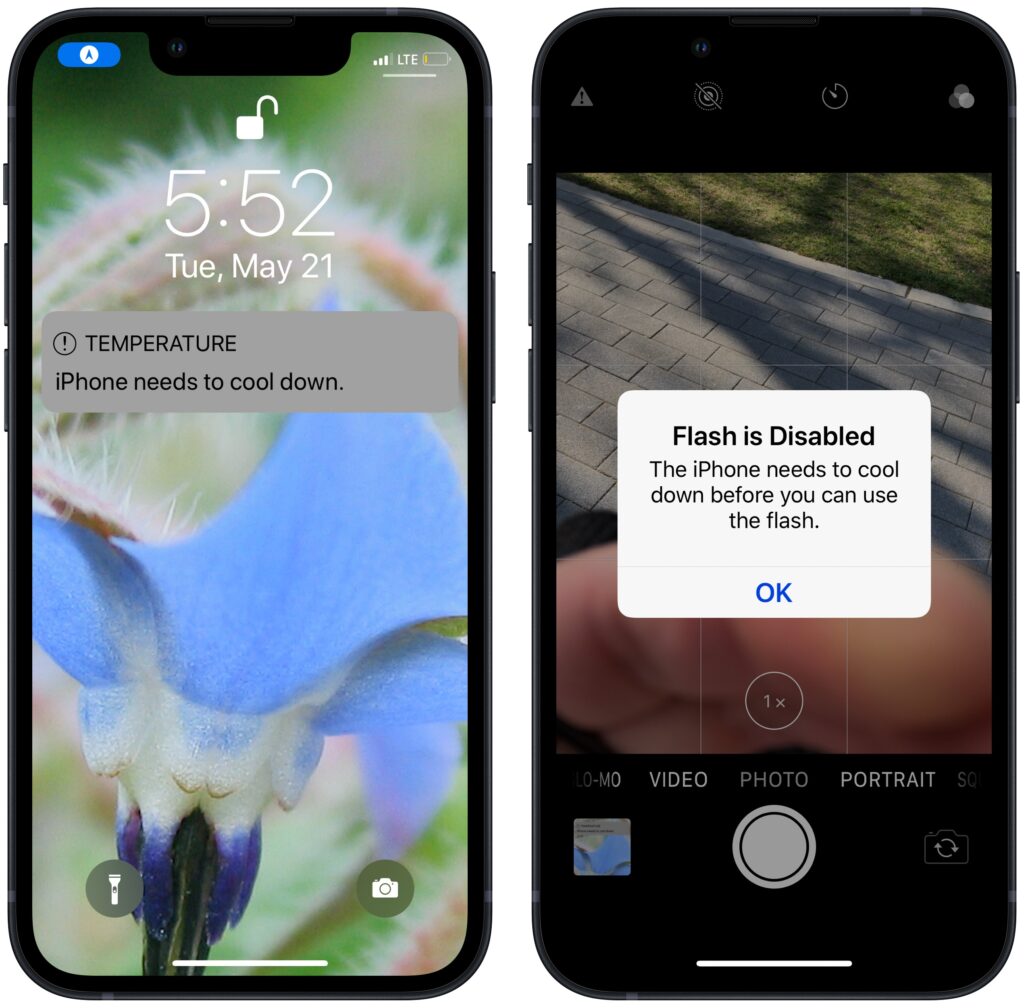
June 2023 was the hottest month on record for the planet, at least until July 2023. Among the many ill effects of such heat are what it does to iPhones, iPads, Macs, Apple Watches, and other digital devices. Excessive heat shortens the overall lifespan of lithium-ion batteries and increases the likelihood of both transient errors […]
Web Workers of the World, Give Arc a Try

Although Web browsers have added productivity features over the years, most have not been overhauled to support modern usage patterns. We have bulging bookmarks bars, tabs by the trillions, and inefficient habits like using searches to load even regularly used websites. Arc, an innovative new Web browser for the Mac from The Browser Company, addresses […]
Clean Up Your Mac’s Desktop with Sort Options

When we help someone with their Mac for the first time, we often notice that their desktop is a disaster. Icons are scattered willy-nilly and often piled on top of one another, making it hard to locate anything. For most people, the solution is easy—sort the contents of the desktop. In the Finder, choose View […]
Tips for Getting Back to Work Faster After Restarting Your Mac
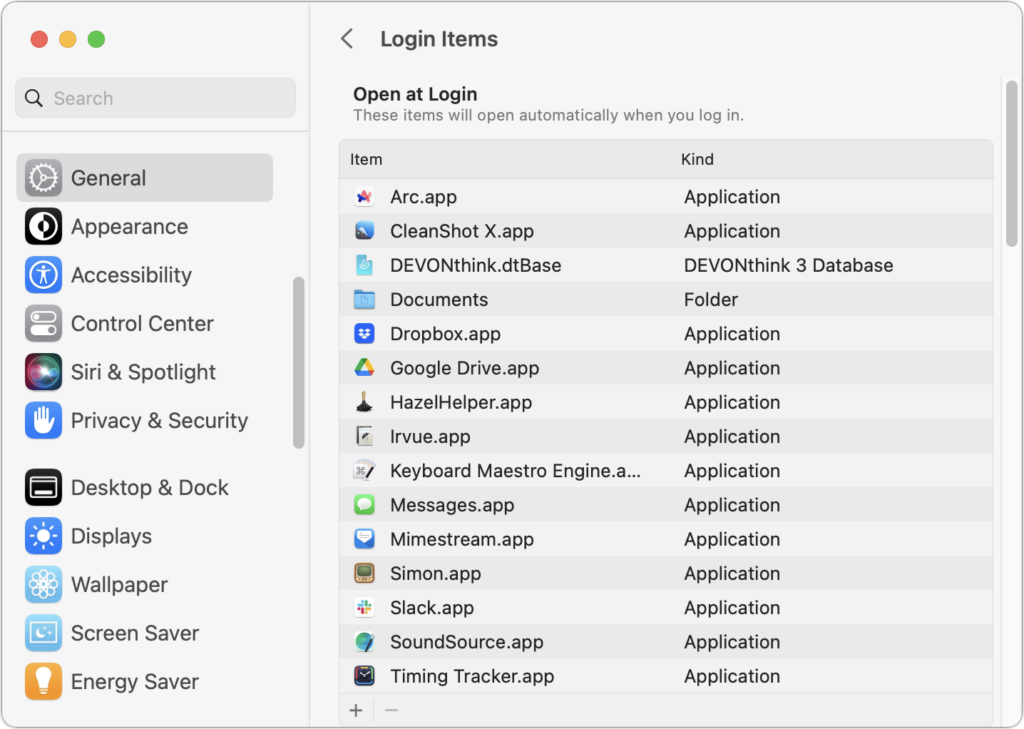
All too often, Mac users put off installing updates because of the bother of having to set everything up again afterward. We get it—you’re busy, and it can take time to relaunch apps, reopen documents, and repopulate Web browser tabs. There’s no avoiding some downtime when installing a full macOS update, which is why we […]
Consider Moving Your Mac’s Dock to the Side of the Screen
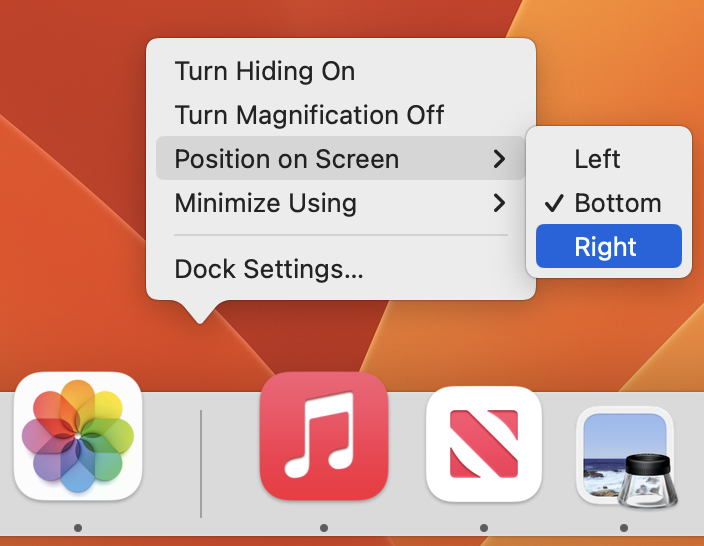
For most of us, our Mac’s screen is wider than it is tall, so longer Web pages and documents often benefit from more room from top to bottom. To maximize the amount of usable vertical space and reduce the need to scroll as much, you can set the Dock to hide automatically and appear only […]
Improve Privacy by Removing Metadata from Office Documents and PDFs

By Chris Keller|Aug 01, 2023 When we share data with others, we do so intentionally—a law firm sending a client legal documents, for instance. But those documents shouldn’t include ancillary information that might reveal other, more sensitive details. Because all digital files contain metadata—additional information about the file or its contents—it’s worth knowing what you […]
