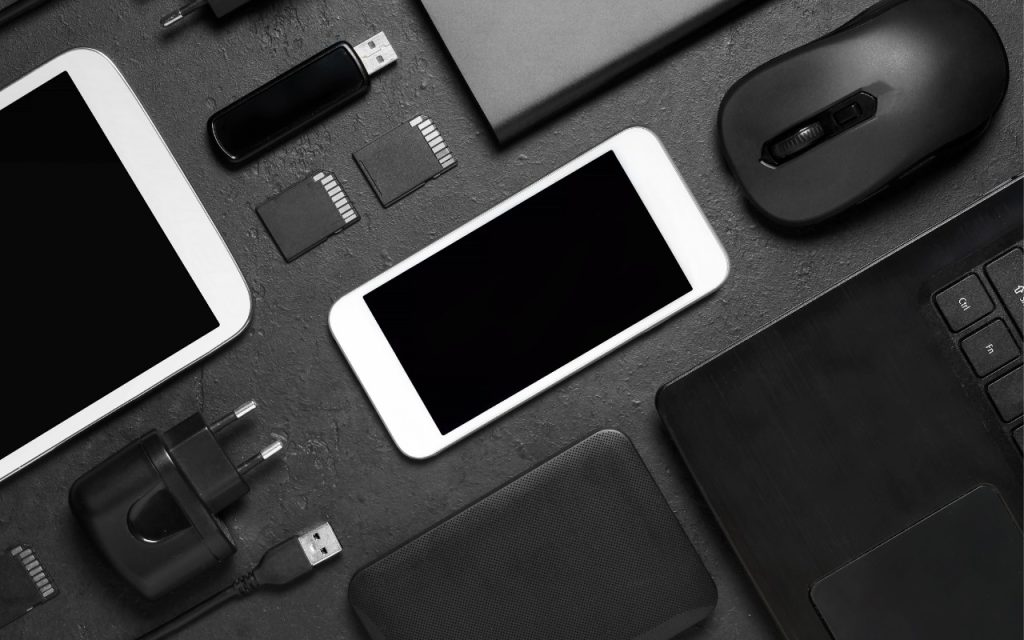
The holidays may be just around the corner, but we field requests for tech gear recommendations year-round. Below you’ll find our suggestions, whether you’re shopping for an Apple tech enthusiast or simply looking to upgrade your own devices and accessories. Plenty of other excellent options exist—we’d love to hear about the peripherals that have worked well for you. We’ve included links to both the manufacturer’s website and Amazon, where you can sometimes find better pricing.
External SSD
All Macs now use fast internal SSDs, but built-in storage gets expensive fast. The pricing of external solid-state drives makes them compelling for both additional storage and silent Time Machine backups. SSDs also provide the ultimate performance for demanding workflows. The Samsung and Crucial SSDs are good general-purpose drives; for the highest performance with Thunderbolt 5, look at the OWC Envoy Ultra.
- Samsung T7 Portable SSD (Samsung, Amazon)
- Crucial X9 Portable SSD (Crucial, Amazon)
- OWC Envoy Ultra (OWC, Amazon)
External Hard Disk Drive
For high-capacity backups or archives, spinning hard drives remain the budget-friendly choice. They come in sizes up to 20 TB, and you can pay less than $15 per terabyte, although $20–$30 per terabyte is more common. It’s impossible to recommend specific models without knowing how much storage you need, but these manufacturers are generally highly regarded. Because hard drive prices can fluctuate, visit diskprices.com to identify current deals on new drives.
- Seagate: Seagate offers a collection of desktop and portable drives under its own name and the LaCie brand. Apart from some of the larger LaCie drives targeted at professionals, most are focused on the consumer market.
- Western Digital: Although some debate Seagate versus Western Digital reliability, many people like the company’s wide variety of external hard drives.
- OWC: Other World Computing sells desktop and portable drives with an emphasis on RAID storage and professional uses. OWC also offers enclosures for installing bare drives purchased elsewhere, which is a good way to save money if you want to upgrade the drive over time.
27-inch External Displays
An overwhelming number of displays in many different sizes work with the Mac. The sweet spot is often the 27-inch size used by Apple’s Studio Display, which leads the pack in both features and price. It’s a 5K display that provides unparalleled sharpness at its standard pixel-doubled resolution of 2560×1440. Competition in the 5K display space has picked up, with new entrants from Asus, Alogic, BenQ, Samsung, ViewSonic, and others. If 5K displays still exceed your budget, check out the 27-inch 4K displays from Alogic and BenQ below, which connect via USB-C. Dell and BenQ also make high-quality screens that connect using Thunderbolt, but they’re more expensive. Third-party displays often don’t include webcams and generally feature subpar speakers compared to the Apple Studio Display, so building a comparable display would require a separate webcam (or an iPhone using Continuity Camera) and speakers.
- Apple Studio Display (5K, Apple, Amazon)
- Asus ProArt Display PA27JCV (5K Asus, Amazon)
- BenQ PD2730S (5K, BenQ, Amazon)
- Alogic Clarity 27” 4K Monitor (4K, Alogic, Amazon)
- BenQ MA270U (4K, BenQ, Amazon)
Webcams
If you have a display that lacks a webcam, or you’re looking to improve on the relatively unimpressive webcams in Apple’s older devices, you now have some excellent options to choose from. These webcams offer top-notch image quality and often include advanced features, such as automatic framing, desk mode, and cinematic effects.
- Insta360 Link 2C (Insta360, Amazon)
- Logitech MX Brio (Logitech, Amazon)
- Elgato Facecam 4K (Elgato, Amazon)
Earbuds
A good set of earbuds is helpful for videoconferencing and, of course, for listening to music or podcasts while commuting, exercising, or just out and about. The AirPods and AirPods Pro are the default options for Apple users, and both are excellent, with the AirPods Pro in particular offering impressive noise cancellation. The AirPods 4 offer active noise cancellation as a $50 option, but they don’t match the AirPods Pro 3 in that category. EarFun has some good earbuds at much lower prices; Sony and Technics compete on the high end.
- AirPods 4 (Apple, Amazon)
- AirPods Pro 3 (Apple, Amazon)
- EarFun Air 2 (EarFun, Amazon)
- Sony WF‑C710N (Sony, Amazon)
- Sony WF‑1000XM5 (Sony, Amazon)
- Technics EAH‑AZ100 (Technics, Amazon)
Laptop Chargers
Although all MacBooks come with a power adapter (we’re fond of the two-port models), you might want additional chargers that stay plugged in wherever you work or take up less space in your laptop bag. Plus, Apple’s chargers, though high quality, are expensive and large. Consider these alternatives, keeping in mind that fast charging requires higher wattages than standard charging (70W for the MacBook Air, 96W for the 14-inch MacBook Pro, and 140W for the 16-inch MacBook Pro). Extra ports are often welcome, and the OneAdaptr chargers work in 200 countries.
- Ugreen Nexode 100W 4-Port Charger (Ugreen, Amazon)
- Anker Prime 100W 3-Port Charger (Anker, Amazon)
- Ugreen Nexode Pro 160W 4-Port Charger (Ugreen, Amazon)
- OneAdaptr OneWorld65 and OneWorld135 International Adapter
USB Hubs
When you need to connect extra devices to your Mac, an inexpensive USB hub is often the answer (unless you prefer a Thunderbolt dock, next). The best hub for you depends on which ports you need, so our choices cover a range: the Anker 555 offers many different ports, the Anker 10-port hub provides many USB Type-A ports, and the Belkin 4-port hub focuses on USB-C ports.
- Anker 555 USB-C Hub (8-in-1) (Anker, Amazon)
- Anker 60W 10-Port USB 3.0 Data Hub (Anker, Amazon)
- Belkin USB-C to 4-Port USB-C Hub (Belkin, Amazon)
Thunderbolt Docks
For more demanding scenarios, a full Thunderbolt dock is worth the extra cost over a USB hub. A Thunderbolt dock lets you connect multiple high-resolution monitors, high-speed drives, Ethernet, and more—all while charging your laptop through one cable. For the ultimate performance on a Thunderbolt 5-equipped Mac, go for the OWC Thunderbolt 5 Dock. Otherwise, the Sonnet and CalDigit docks boast the most ports in horizontal and vertical form factors, respectively, and the OWC Thunderbolt mini Dock trades some ports for portability. Each company also offers more choices with different sets of ports.
- OWC Thunderbolt 5 Dock (OWC, Amazon)
- Sonnet Echo 20 Thunderbolt 4 SuperDock (Sonnet, Amazon)
- CalDigit TS4 (CalDigit, Amazon)
- OWC Thunderbolt mini Dock (OWC, Amazon)
Non-Apple Pointing Devices
Not everyone loves Apple’s trackpads or the flat Magic Mouse. Thankfully, many great third-party mice and pointing devices work with the Mac. Although most Bluetooth mice will work with the Mac, additional software may be necessary to control tracking speed, extra buttons, or scroll wheels. Unusual pointing devices like the Kensington trackball and Contour RollerMouse may be appreciated by those suffering from hand or wrist pain from mousing.
- Logitech MX Anywhere 3S for Mac (Logitech, Amazon)
- Logitech MX Master 4 for Mac (Logitech, Amazon)
- Kensington Expert Mouse Wireless Trackball (Kensington, Amazon)
- Contour RollerMouse Pro3 (Contour, Amazon)
Non-Apple Mac Keyboards
All Macs other than the Mac mini come with a keyboard, but if you prefer a different key feel or layout, there’s a world of keyboards beyond Apple’s options (but only Apple’s support Touch ID). You’ll need to decide if you want a full-size keyboard with a numeric keypad or a compact keyboard that takes up less space on your desk—there are also in-between sizes. Also, different keyboards use different types of switches under their keycaps, so you may need to experiment to find what you like best. It’s worth buying a keyboard designed for the Mac to ensure it has or can be configured with the correct keys. The recommendations below should get you started; also check out other products from these manufacturers.
- Logitech MX Keys Mini for Mac (Logitech, Amazon)
- Logitech MX Keys S for Mac (Logitech, Amazon)
- Keychron V6 Max (Keychron, Amazon)
- Das Keyboard 4 Professional for Mac (Das Keyboard, Amazon)
iPad Keyboards
Apple makes some of the best iPad keyboards, but they don’t work with all older models. The company makes the Magic Keyboard for the M4 and M5 iPad Pro models, the Magic Keyboard for the iPad Air and earlier iPad Pro models, and the Magic Keyboard Folio for the 10th-generation iPad. If you want to spend less, leave out the trackpad, or have a different case design, look into the alternatives.
- Apple Magic Keyboard (Apple, Amazon: Magic Keyboard for iPad Pro, Magic Keyboard, Magic Keyboard Folio)
- Logitech Slim Folio (base iPad) (Logitech, Amazon)
- Logitech Combo Touch (base iPad) (Logitech, Amazon)
- ESR Rebound Magnetic Keyboard Case 360 (ESR, Amazon)
Small-Device External Batteries
Although Apple continuously improves battery life for the iPhone, iPad, Apple Watch, and AirPods, there will always be situations—travel, camping, non-stop use—where an external battery is a lifesaver. That’s especially true for older devices whose batteries don’t last as long as they used to. Apple has even gotten into the game with a MagSafe battery, but it works only with the company’s newest iPhone model.
- Belkin BoostCharge Plus 10K (Belkin, Amazon)
- TravelCard Plus (TravelCard)
- Anker 622 Magnetic Battery (Anker, Amazon)
- Apple iPhone Air MagSafe Battery (Apple, Amazon)
MagSafe Chargers for the iPhone
While wired charging remains faster and more efficient than wireless options, MagSafe charging offers undeniable convenience for iPhone users. MagSafe chargers also work with wireless charging cases for the AirPods Pro, and chargers like the KUXIU X55 even include an Apple Watch charging puck.
- Apple MagSafe Charger (Apple, Amazon)
- Belkin BoostCharge Pro Portable Wireless Charger (Belkin, Amazon)
- KUXIU X55 3-in-1 Wireless Charger (KUXIU, Amazon)
One final piece of advice. For many of these product categories, you’ll find a dizzying array of products at bargain basement prices from alphabet-soup Chinese manufacturers. Although some may make quality products, we recommend sticking with reputable companies that have been serving Apple users for years. Even if their products are somewhat more expensive, they’re less likely to cut corners on manufacturing quality and safety (especially important with batteries and cables) and more likely to provide support in the event of problems.
(Featured image by iStock.com/Andrey Mitrofanov)
Social Media: Shopping for an Apple enthusiast this holiday season? Or maybe your own tech setup needs an upgrade? Check out our curated list of peripherals across multiple categories—from storage to chargers to keyboards.