
At WWDC 2025, Apple Unveils Liquid Glass and Previews New OS Features

Apple’s Worldwide Developer Conference keynote was a lightning-fast 92-minute tour of Apple’s vision for how we’ll use its products in the next year. Apple wove two themes through the presentation: the new Liquid Glass design language will provide a consistent look and feel across all its platforms, and Apple Intelligence-powered features will continue to appear […]
Why Passkeys Are Better than Passwords (And How to Use Them)

No one likes passwords. Users find managing them annoying, and website managers worry about login credentials being stolen in a data breach. The industry has developed a better solution: passkeys. Passwords versus Passkeys Traditional multi-factor authentication involves three methods of authentication, at least two of which are required for protection. They include something you know […]
Use AirPlay to Mirror or Extend Your Mac’s Display

Apple’s AirPlay is one of those low-level technologies that’s more capable than many people realize. In addition to allowing you to stream video and audio from an iPhone, iPad, or Mac to an Apple TV connected to a large-screen TV, AirPlay also enables you to use that TV as an external Mac display, either mirroring […]
Make Sure to Check Settings on Multiple Devices
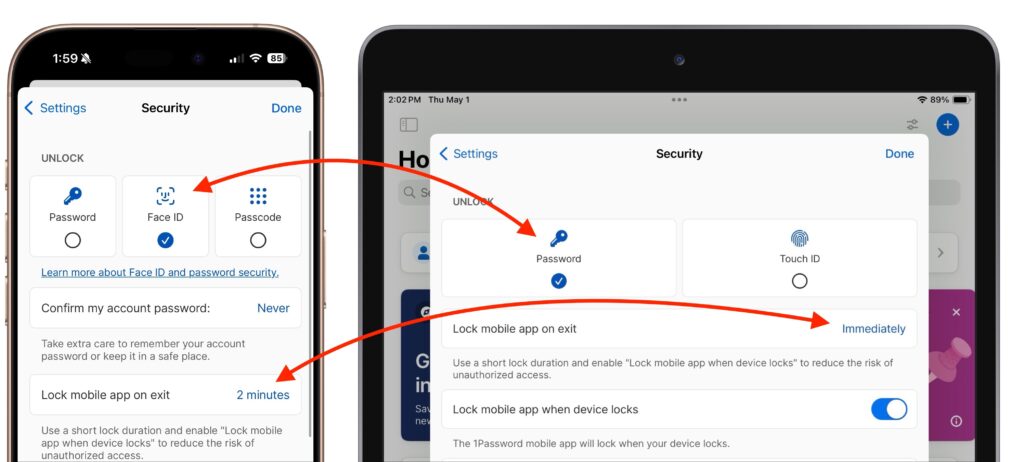
We recently helped someone having trouble with 1Password requesting their password repeatedly on their iPad, but not on their iPhone. Since 1Password’s data syncs between devices, this person didn’t realize they needed to configure the app’s security settings separately for each device. It’s appropriate for 1Password to separate security settings—one device could be used in […]
Share Wi-Fi Network Passwords Using QR Codes

A neat feature built into iOS, iPadOS, and macOS is that when you are connected to a Wi-Fi network, your devices will offer to share the Wi-Fi password if others near you try to connect to the same network. However, for this feature to work, they must be in your Contacts, and at times, it […]
Five Quick Tips to Ease iPhone and iPad Text Editing and Amaze Your Friends
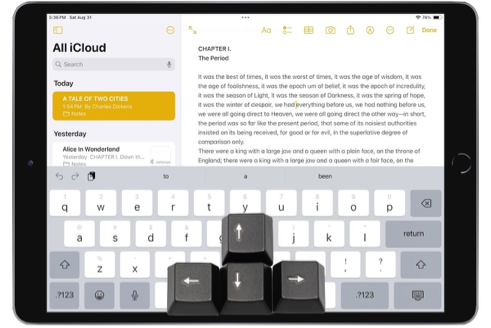
A friend recently expressed astonishment when she saw us using trackpad mode while editing text on an iPhone. (It works on the iPad, too!) So, even if you already know these tips, do your friends a favor and show them: Tap once to position the insertion point at the start or end of a word. […]
Apple Announces iPhone 16 Lineup, Apple Watch Series 10, and AirPods 4
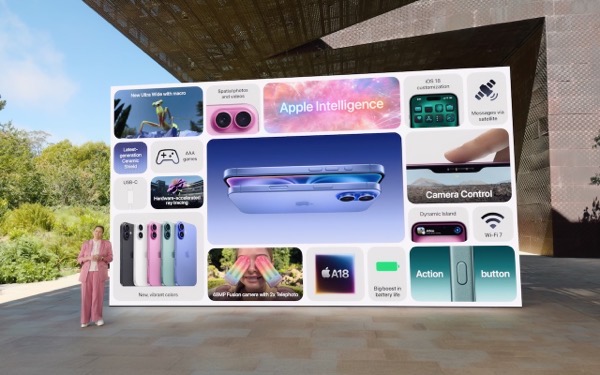
It’s September, which brings the annual Apple crops: new iPhones, Apple Watches, and AirPods. At its recent Glowtime event, Apple unveiled the new iPhone 16 lineup, Apple Watch Series 10, and AirPods 4, alongside smaller announcements about existing products. As always, the enhancements in the new products are evolutionary, making them attractive to anyone already […]
When Should You Should Upgrade to macOS 15 Sequoia, iOS 18, iPadOS 18, watchOS 11, tvOS 18, and visionOS 2?
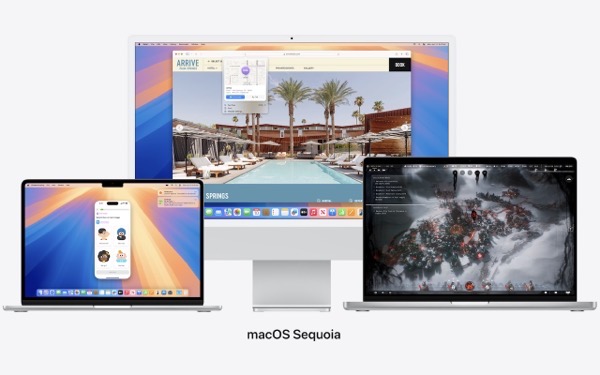
The calendar has flipped over to September, so Apple will soon release major upgrades for all its operating systems. iOS 18 and watchOS 11 will undoubtedly ship alongside new iPhone and Apple Watch models mid-month. iPadOS 18 is likely to accompany iOS 18, as are tvOS 18 and visionOS 2. Although Apple has sometimes delayed […]
Missed an Alert? Check Notification Center

iOS, iPadOS, and macOS all let you specify whether any given app should show no notifications, temporary banners, or persistent alerts: look in Settings > Notifications and System Settings > Notifications. Temporary banners appear briefly and then automatically disappear, which is appropriate for notifications requiring no acknowledgment. But what if you see a temporary banner […]
Having Trouble with a Public Wi-Fi Network’s Captive Portal Login Page?

When you connect to a public Wi-Fi network at an airport, hotel, coffee shop, or school, you may need to interact with a captive portal login page to be granted access to the network. It might require you to enter login credentials, ask for your name, or make you agree to terms of service. But […]
